 Image 1 of 3
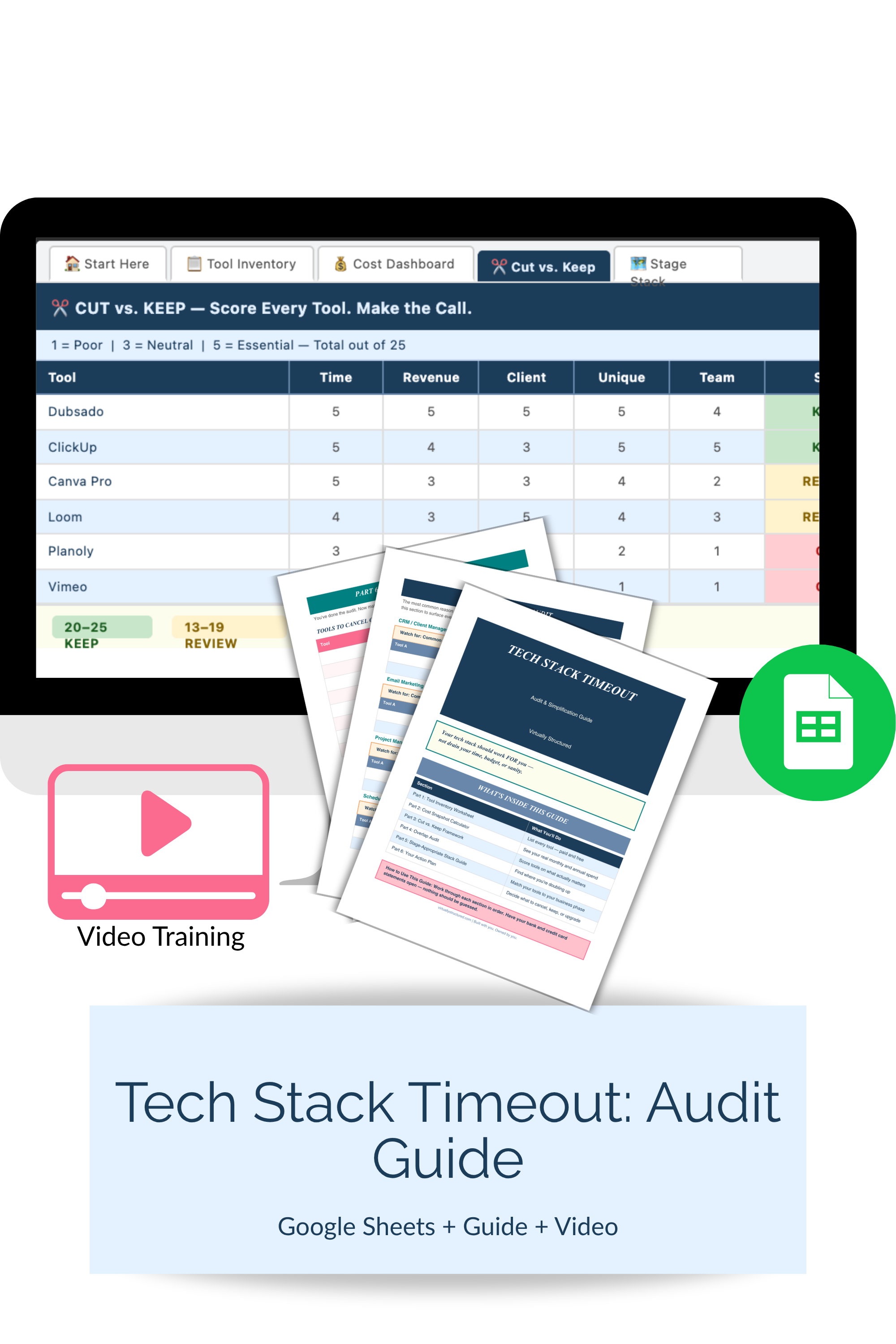 Image 2 of 3
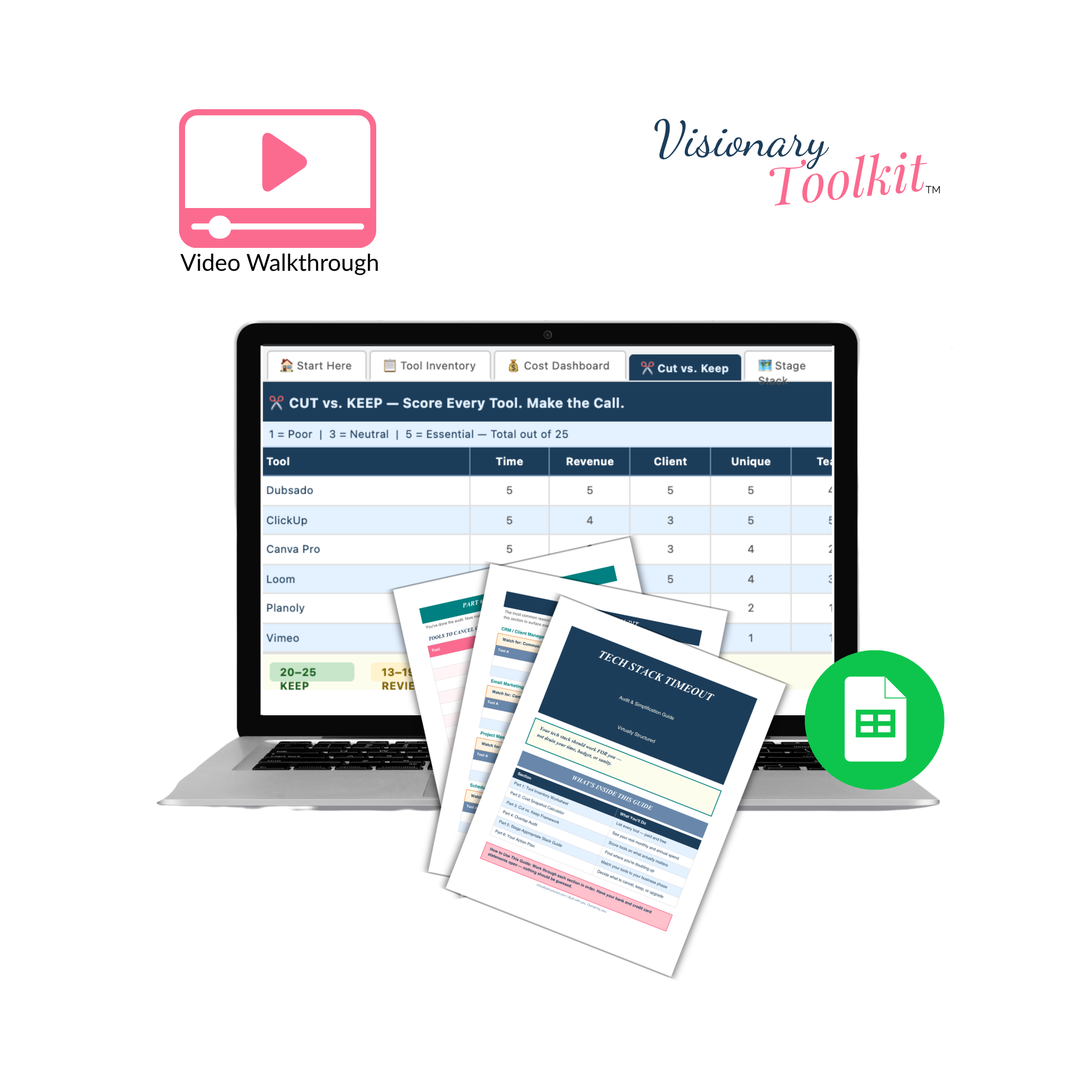 Image 3 of 3
-
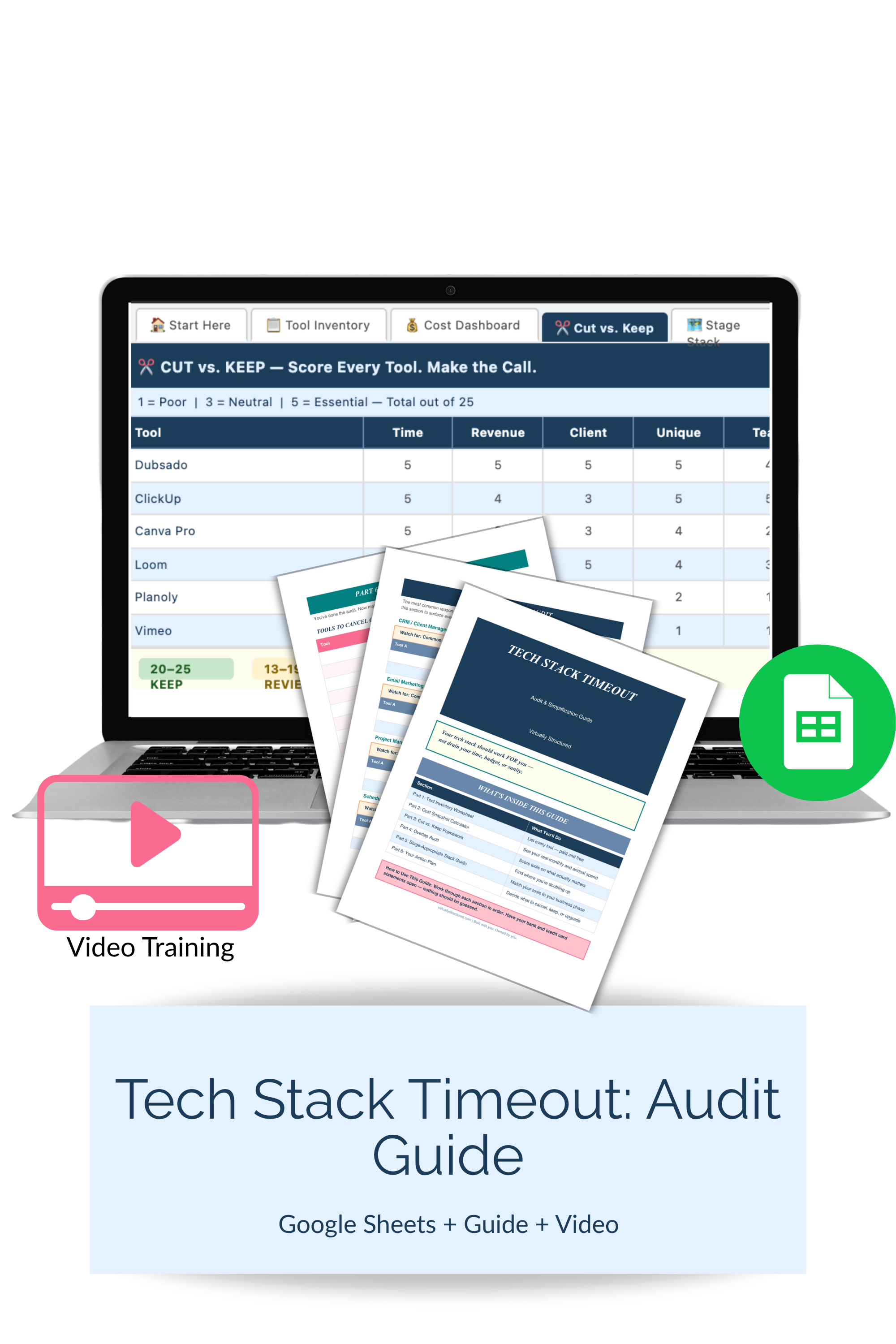
5-tab Google Sheets workbook (Google Sheets compatible, make your own copy)
Tool Inventory with auto-calculated monthly and annual spend
Cost Dashboard with spend-by-category breakdown and stage benchmarks
Cut vs. Keep scoring tab with auto color-coded decisions (green / amber / red)
Overlap Detector — find where you're paying for the same job twice
Stage Stack Guide — right-sized tool recommendations for your business phase
Video walkthrough (7–9 min) — screen-recorded tour of every tab
Printable PDF audit guide — all worksheets in offline format, including action plan pages
-
The kit includes a five-tab Google Sheets workbook and a printable PDF audit guide — print at home or through a local print shop, great for a focused offline session with your statements in hand. The Tool Inventory tab is where you list everything: paid, free, barely-used, all of it — with category dropdowns, billing frequency, and usage ratings. The formulas auto-calculate your monthly and annual spend the moment you enter costs. The Cost Dashboard breaks that spend down by category and compares it to healthy benchmarks by business stage. The Cut vs. Keep tab is where the real work happens: you score each tool across five criteria — does it save time, generate revenue, improve the client experience, do a unique job, and actually get used — and the total score tells you exactly what to keep, review, or cancel. Color-coding does the work for you. The Stage Stack Guide tab shows you what a right-sized stack looks like at your current stage, so you're not over-investing for a business you don't have yet.
The video walkthrough covers the full process — what to enter, how to read the scores, and what to do with the results.
-
You're not sure exactly what you're spending on tools each month, and when you think about it honestly, the number is probably higher than you'd like
You have tools you're paying for but barely using — you've thought about canceling but never got around to it
You've upgraded platforms or added new tools without removing the old ones, and now you're running redundant systems
You want to simplify your operations before you scale — because adding a team to a bloated stack just multiplies the problem
-
Google Sheets (digital download)
Make a copy to your Google Drive and customize and edit it anytime
-
Tech Stack Timeout is one of the first things we look at inside Visionary Clarity — because your tools reflect your operations, and simplifying your stack is usually one of the fastest ways to find both time and money you didn't know you had. If you're ready to move beyond the audit and into a real strategic framework for your business, that's exactly what we do together.
-
This is a digital download. No physical product will be shipped.
Due to the nature of digital downloads, all sales are final.
Please note: These digital products are for your personal business planning use only. They are not templates meant to be copied, repackaged, or used to create your own products. Your purchase does not include resale, sharing, or redistribution rights.